


I saw a post today from Robert Birming about a “currently reading” widget he built for Bear Blog. Just HTML and CSS, no plugin, no API. A little card with the book cover, author, and a progress bar you update by hand. Bear Blog is a whole different blogging platform, and it looks like their community has been building out little add-ons like this for each other. I thought it was awesome.
It got me thinking about Micro.blog bookshelves, which I already love and use a lot. I'm not someone who reads on a regular schedule. Some weeks I don't touch a book at all. But I've been trying to read 20 minutes a day, and bookshelves is where I keep track of what I'm reading and what's next. Seeing the progress laid out like that helps remind me to actually pick a book back up, and keep going until I finish it.
The one thing I wish it had is a progress bar, right there on the shelf. Not just "currently reading" but how far into the book I actually am.
In the meantime, I already built my own way to do this, through my own app, Perch. When I'm composing a post, I search for the book I'm reading and Perch pulls in the cover, author, year, and total page count from Google Books. I fill in the page I'm on right now, and Perch works out the percent and builds the progress bar for me. Then it posts to the blog, and adds the book to my Micro.blog bookshelves too, using the API just to mark the status, currently reading or finished reading. The home page pulls in that post and shows the progress card.
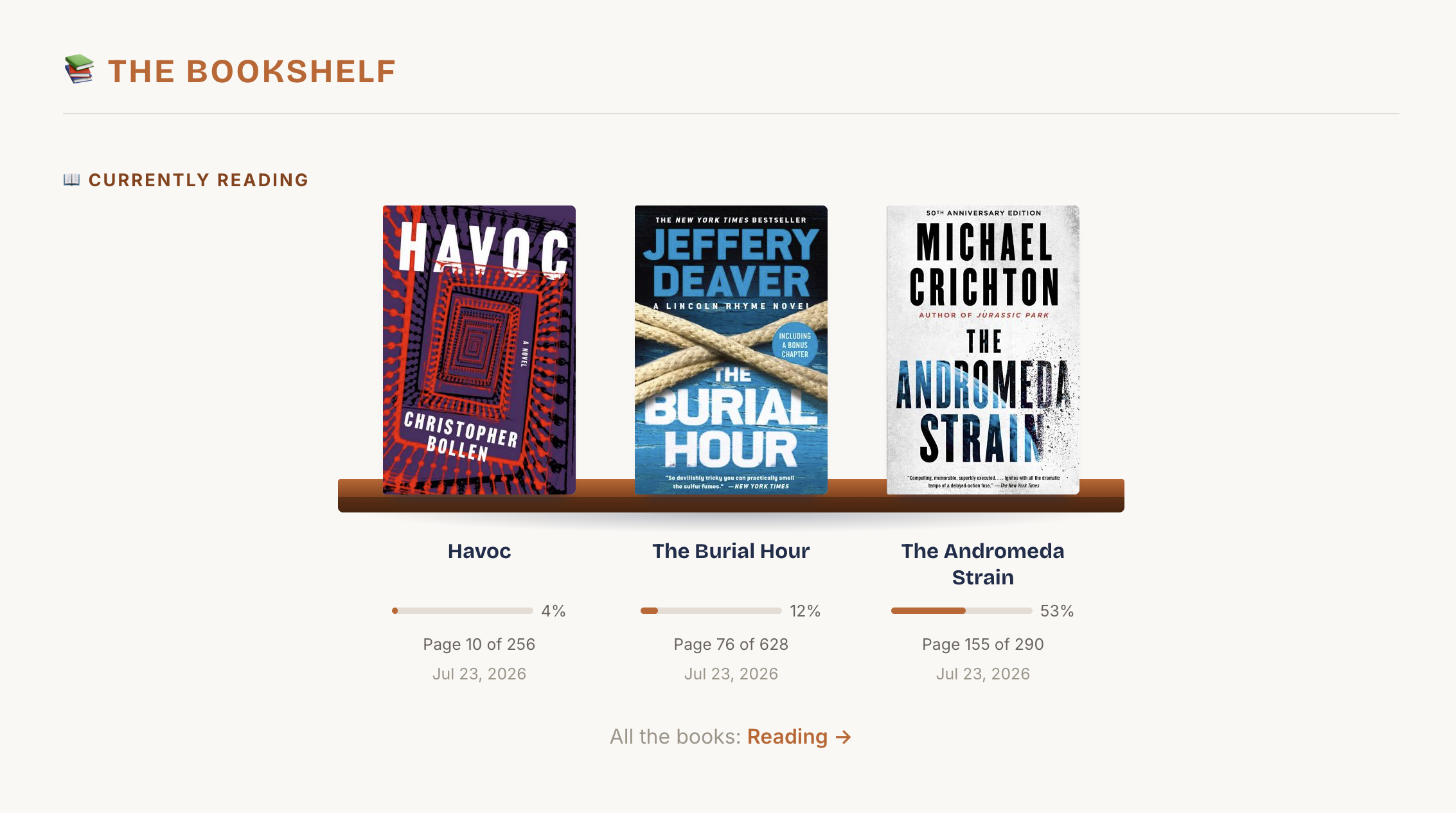
That's what made the Bear Blog widget catch my eye. Their community gets that progress bar built in, no extra posting required. I'd love to see something like that show up in the Micro.blog plugin community someday, so I'm not manually posting my own progress every time I pick up a book.
At the end of the day, I hope Micro.blog builds out an excellent bookshelves with all of this already in it. The progress bar, all of it. Right now it's all stuff I had to set up myself, by hand, with an app I built as my own workaround. Until then, I'll keep reading my 20 minutes a day, and watch the percent climb until each one hits 100.